


Downloading Exness For Ios Devices
If you’re looking to enhance your trading experience on iOS, downloading the Exness app is a great first step. This article will guide you through the process of downloading and installing Exness on your iOS devices. For even more details, feel free to check out Downloading Exness For Ios Devices https://www.minereum.com/id/aplikasi-exness/.
What is Exness?
Exness is a popular online trading platform that offers a wide range of financial instruments, including forex, stocks, and cryptocurrencies. Its user-friendly interface, combined with advanced trading tools and features, makes it a preferred choice for both novice and experienced traders. With the Exness app available for iOS devices, you can manage your trades from anywhere, making it easier than ever to take advantage of market opportunities.
Why Use the Exness App on iOS?
The Exness app is designed to provide you with a seamless trading experience right from your iPhone or iPad. Some of the key benefits of using the app include:
- Accessibility: Access your trading account anytime, anywhere.
- User-friendly Interface: Navigate the app with ease, making trading intuitive.
- Real-time Data: Get immediate quotes and news updates to make informed trading decisions.
- Advanced Trading Tools: Utilize charts and analysis features to enhance your trading strategy.
- Security: Enjoy robust security features that protect your account and personal information.
How to Download Exness on iOS Devices
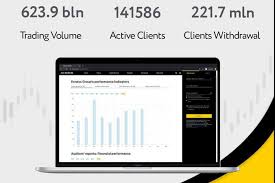
Downloading the Exness app on your iOS device is simple. Just follow these steps:
Step 1: Open the App Store
On your iPhone or iPad, locate the App Store icon and tap on it to open. The App Store is a pre-installed app on all iOS devices.
Step 2: Search for Exness
In the App Store, tap on the search bar at the bottom of the screen. Type “Exness” and hit enter to search for the app. Look for the official Exness trading app in the search results.
Step 3: Download the App
Once you find the Exness app, tap on the download button (usually a cloud icon with an arrow). If prompted, enter your Apple ID password or use Face ID/Touch ID to authorize the download.
Step 4: Install and Open the App

After the app has finished downloading, it will automatically install on your device. You can find it on your home screen. Tap on the app icon to open it.
Step 5: Log In or Register
If you already have an Exness account, simply enter your login credentials to access your trading account. If you are new to Exness, follow the on-screen instructions to create an account.
Tips for Using the Exness App Effectively
To make the most of the Exness app, consider the following tips:
- Set Up Notifications: Enable notifications to stay updated on market changes and important account activities.
- Utilize Demo Accounts: If you’re a novice, practice trading on a demo account before investing real money.
- Customize Your Interface: Adjust charts and layouts to fit your trading style and preferences.
- Stay Informed: Keep up with market trends and news to inform your trading strategy.
- Practice Risk Management: Use tools available in the app to manage your risks effectively.
Conclusion
Downloading the Exness app for iOS devices is a simple process that opens up a world of trading possibilities. With its intuitive design and powerful features, managing your trades has never been easier. Whether you are a seasoned trader or just starting, having the Exness app on your iOS device ensures you are always connected to the markets. Start downloading today and take your trading to the next level!